Sale!

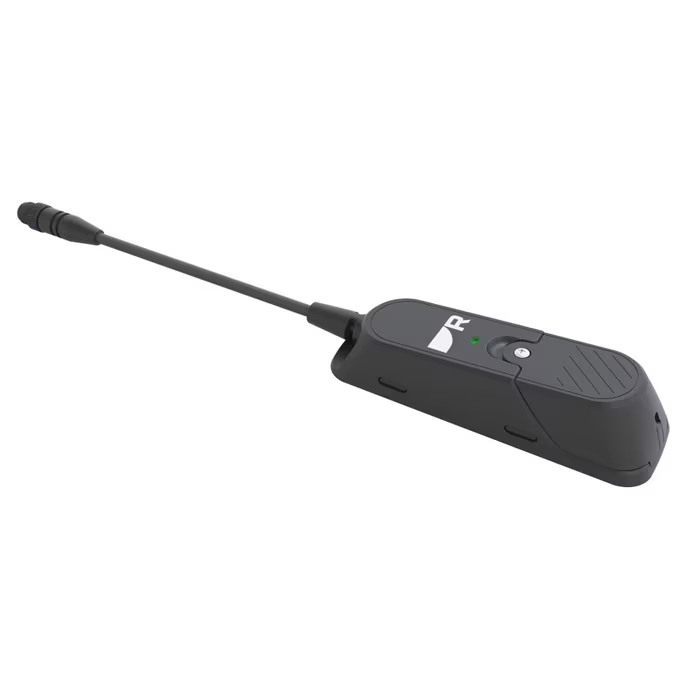
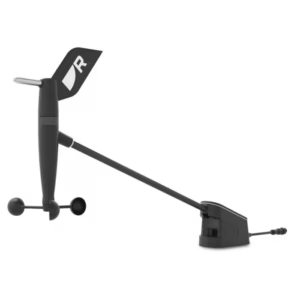
Raymarine RSW Smart Wind Gateway

Original price was: 173,60 €.Current price is: 156,24 €.

RSW Gateway – To RSW Smart Wind kit.

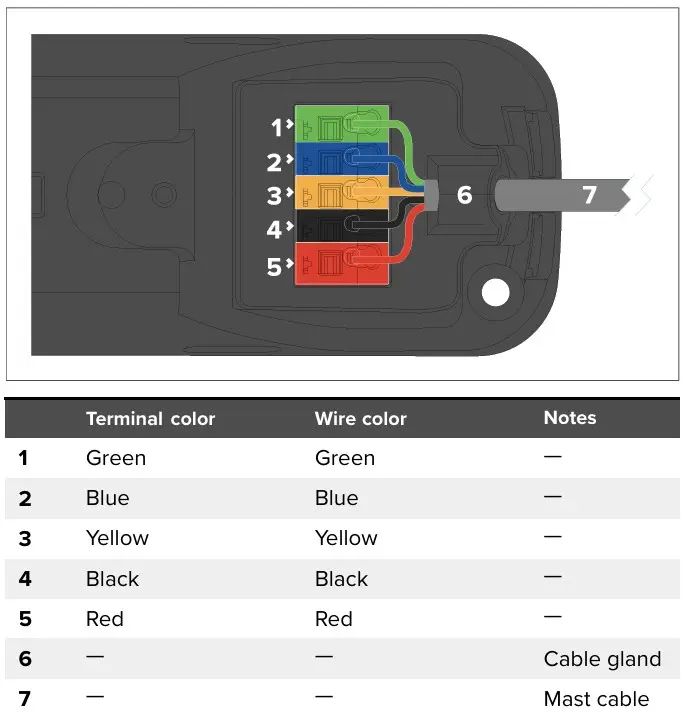
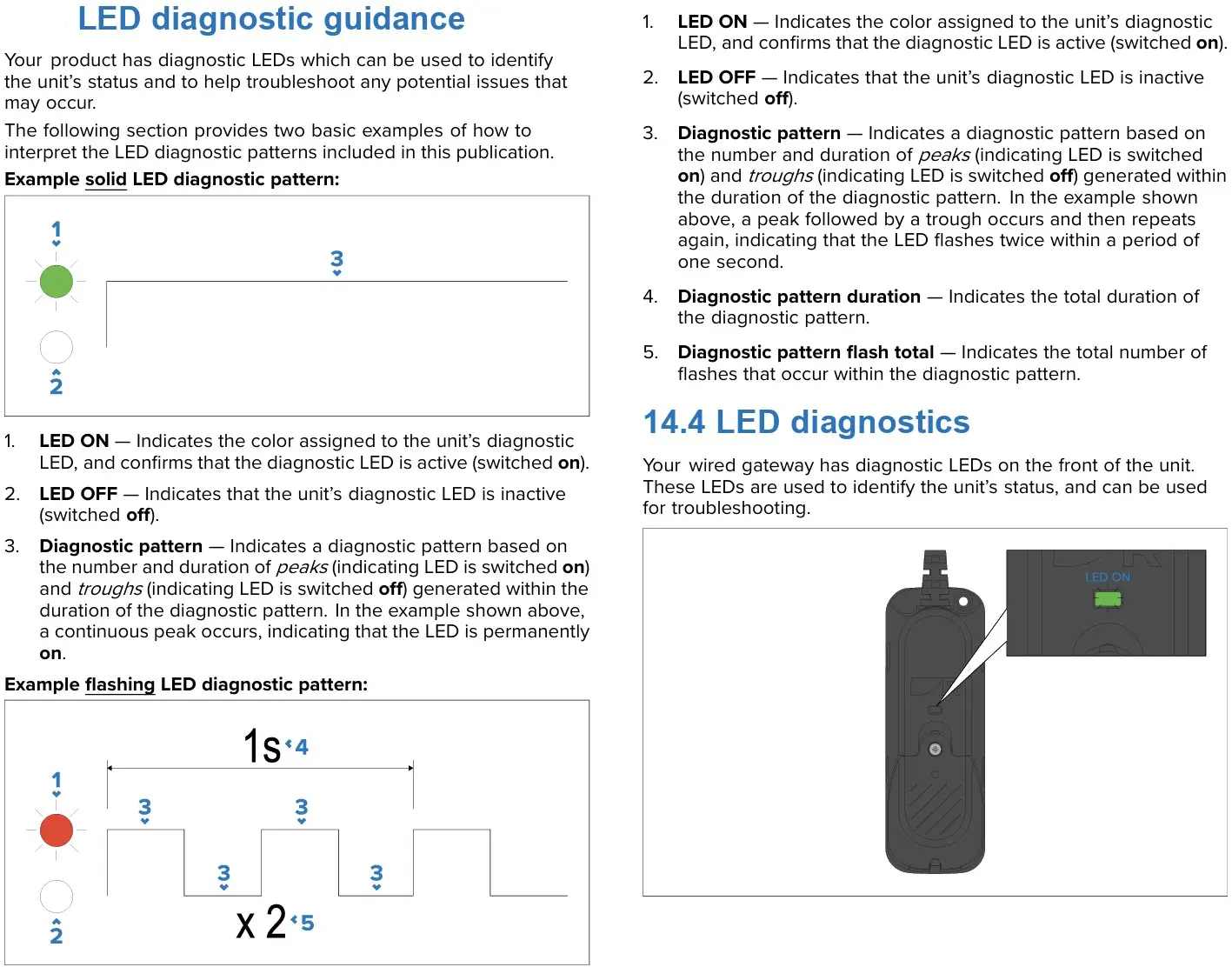
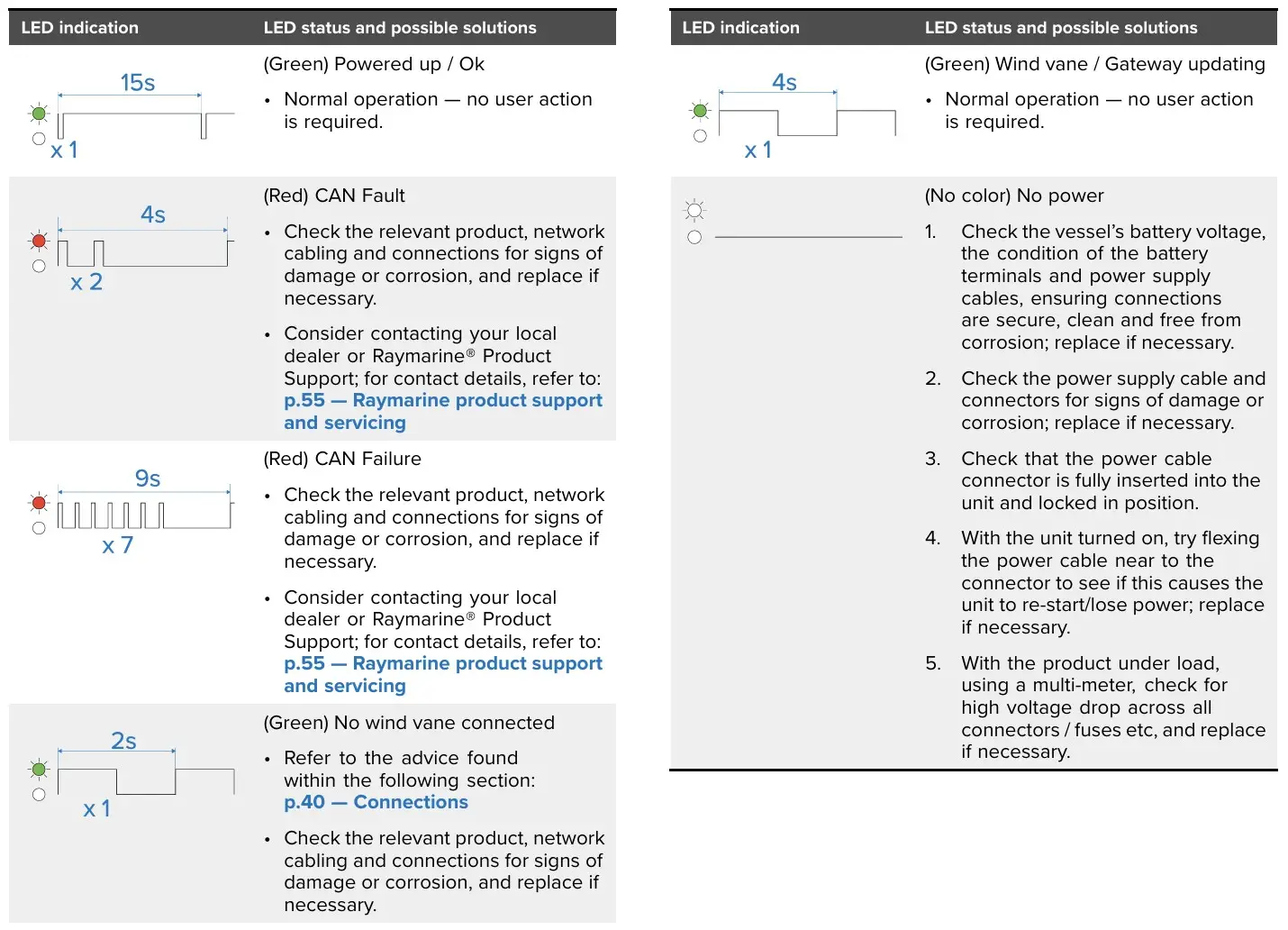
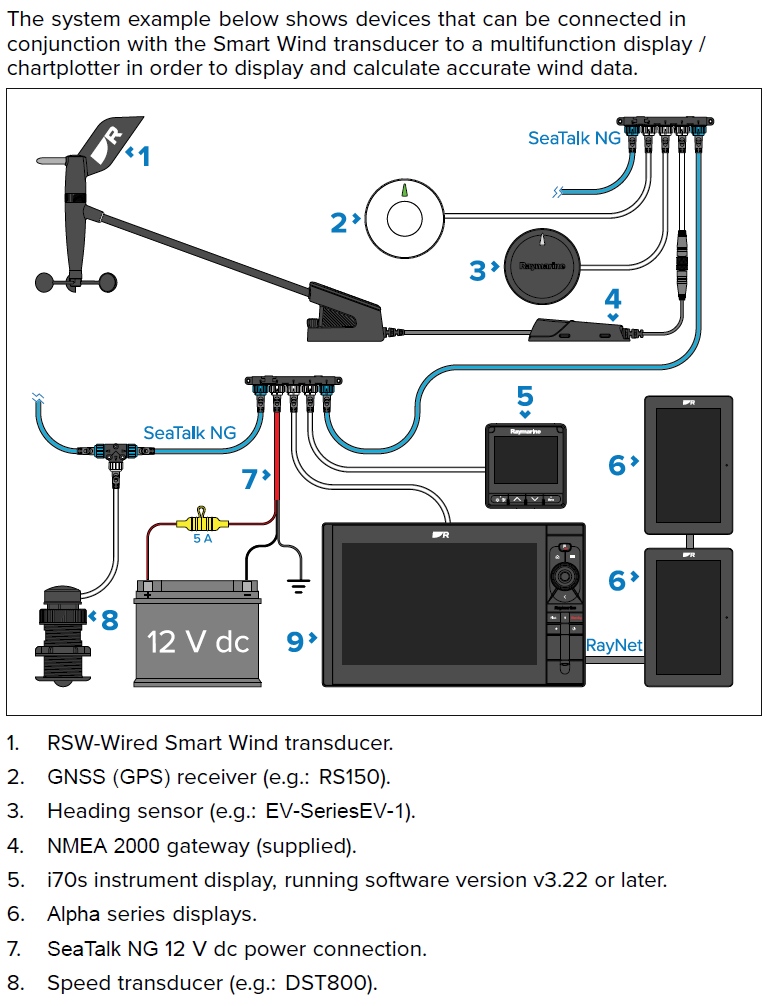
Before purchasing a new RSW Gateway, check that the mast cable is in good condition and inspect all plugs and other connections. Check that the Axiom plotter, i70s, and Alpha display “see” the RSW Smart Wind Gateway, and also check the LED indicator status on the Gateway. The meanings of the light signals are detailed in the user manual, and a quick overview can also be found with the product images. If no light is illuminated on the RSW Wind Gateway, or if a red light is on and the RSW Gateway causes the entire STNG network to shut down, it is quite certain that the Gateway is faulty. Be sure to also familiarise yourself with this kit. instructions and in case of questions, consult our specialist.

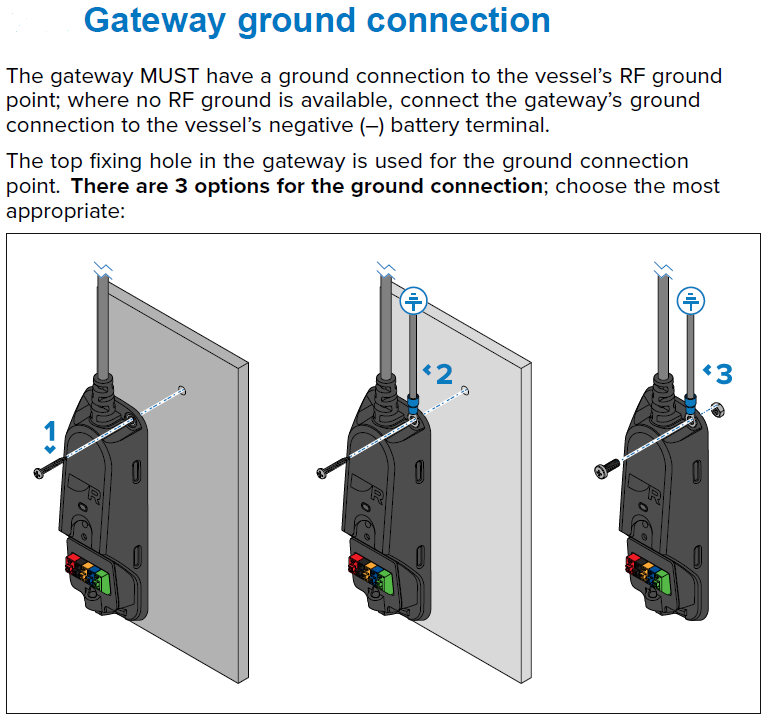
NB! Technology is technology and anything can happen, but if the previous Gateway broke and you are buying this product as a spare part, then be sure to check that the RSW Wind Gateway Monday blues It must be connected to the boat's grounding or, if that is not present, at least to the battery's negative terminal! This is very important, otherwise the new Gateway will also be damaged. If the previous RSW Gateway's grounding terminal was not connected to the boat's grounding or battery negative, then be prepared for the wind sensor to also be faulty. In the event that the new Gateway shows a flashing green signal (1s+1s), it is a sign that the Gateway does not “see” the wind sensor and if the cable is in order and correctly connected, then probably also RSW anemometer damaged.

Available on back-order

Do you want advice?

Get in touch with us!

Product delivery

For produce, 2-3 working days. In other cases, 7-14 working days. Ask for more information!

Raymarine RSW Wired Smart Wind Transducer Gateway

Spare part for Raymarine RSW Smart Wind kit.

Before purchasing a new RSW Gateway, check that the mast cable is in good condition and examine all plugs and other connections. Check that the Axiom plotter, i70s, and Alpha display can “see” the RSW Smart Wind Gateway, and also check the status of the LED indicator on the Gateway. The meanings of the light signals are detailed in the user manual. If no light is on on the RSW Wind Gateway, or if it is red and the RSW Gateway causes the entire STNG network to shut down, then it is highly likely that the Gateway is faulty.

NB! Technology is technology and anything can happen, but if the previous Gateway broke and you are buying this product as a spare part, then be sure to check that the RSW Wind Gateway Monday blues It must be connected to the boat's grounding or, if that is not present, at least to the battery's negative terminal! This is very important, otherwise the new Gateway will also be damaged. If the previous RSW Gateway's grounding terminal was not connected to the boat's grounding or battery negative, then be prepared for the wind sensor to also be faulty. In the event that the new Gateway shows a flashing green signal (1s+1s), it is a sign that the Gateway does not “see” the wind sensor and if the cable is in order and correctly connected, then probably also RSW anemometer damaged.

Instructions:

Download Raymarine RSW Wind Installation Guide

Download i70s Installation guide

Download i70 and i70s User manual

Additional information

Weight 0,2 kg
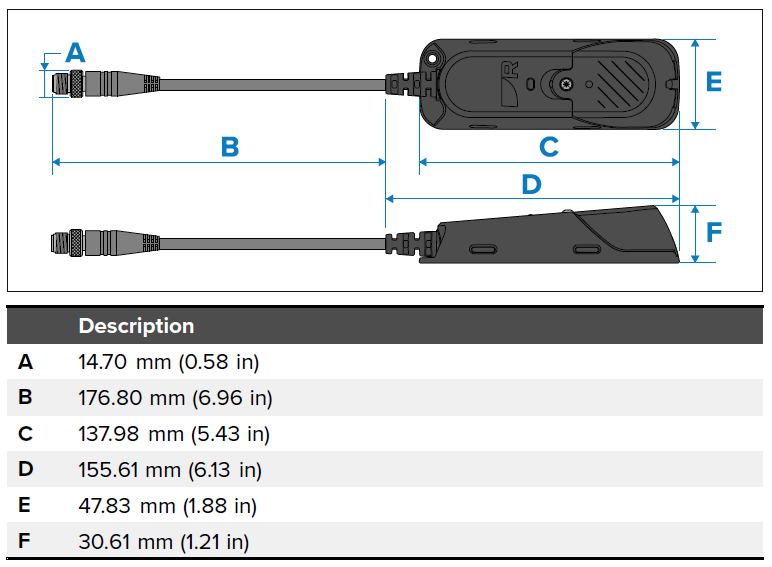
Dimensions 20 × 15 × 13 cm